


9 Jun 2011
 All Drivers 2011

Windows Xp Drivers x32/x64 | 1.75 GB
Dell , HP,acer , Compaq , IBM , Sony , Toshiba , Panasonic , MSI
Seimens , Apple , Gateway , LG , Asus , Lenovo
Seimens , Apple , Gateway , LG , Asus , Lenovo
Pentium 1 , 2 , 3 , 4
Intel® Core™2 Duo Processor
Core i3 Processor , Core i5 Processor , Core i7 Processor
Core i3 Mobile Processor , Core i5 Mobile Processor , Core i7 Mobile Processor.
C-Media , Realtek , SigmaTel , Conexant , Intel , Nvidia , VIA , SiS
AMD / ATI Catalyst , Marvell , Atheros
( 945G, 945GZ, 946GZ, G965, P31 , P 41 , Q965, Q963,
G33, G35, Q33 , G41, Q35, G31, 945GC, P35, P45, P55 ,945GM, 945GME, 945GMS, 940GML,
GM965, GME965, GLE960)

Intel® Core™2 Duo Processor
Core i3 Processor , Core i5 Processor , Core i7 Processor
Core i3 Mobile Processor , Core i5 Mobile Processor , Core i7 Mobile Processor.
C-Media , Realtek , SigmaTel , Conexant , Intel , Nvidia , VIA , SiS
AMD / ATI Catalyst , Marvell , Atheros
( 945G, 945GZ, 946GZ, G965, P31 , P 41 , Q965, Q963,
G33, G35, Q33 , G41, Q35, G31, 945GC, P35, P45, P55 ,945GM, 945GME, 945GMS, 940GML,
GM965, GME965, GLE960)
မွတ္ခ်က္။ ။Windows ( Vista - 7 ) Drivers x32/x64-1.82-GBကုိဆက္လက္တင္ေပးသြားပါမည္..
6 Jun 2011
Kaspersky Anti-Virus & Internet Security 2012 12.0.0.374 Final

Kaspersky Anti-Virus 2012 – the backbone of your PC’s security system, offering protection from a range of IT threats. Kaspersky Anti-Virus 2012 provides the basic tools needed to protect your PC. Kaspersky Internet Security 2012 – the all-in-one security solution that offers a worry-free computing environment for you and your family. Kaspersky Internet Security 2012 has everything you need for a safe and secure Internet experience. Kaspersky Internet Security 12.0 – is a new line of Kaspersky Labs products, which is designed for the multi-tiered protection of personal computers. This product is based on in-house protection components, which are based on variety of technologies for maximum levels of user protection regardless of technical competencies. This product utilizes several technologies, which were jointly developed by Kaspersky Labs and other companies; part of them is implemented via online-services. Our products for home and home office are specifically designed to provide hassle-free and quality protection against viruses, worms and other malicious programs, as well as hacker attacks, spam and spyware.

Kasper Anti-Virus
Internet Security
Internet Security
5 Jun 2011


Micro XP Pro 0.91
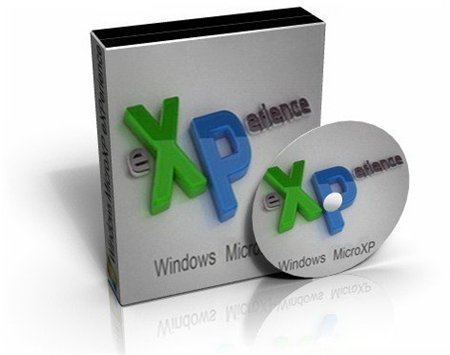
Micro XP Pro 0.91-Size: 196 MB
Installation time: ........11min
Speed:.......................As fast as it gets
Functionality:..............No errors, Fully functional
Iso Size:.....................217 MB
HD Space: ................ 482 MB (after swap deletion)
Required Ram: .......... 64MB
Security: ...................Improved (Tweaks + Updates)
Automatic: ................Setup & speed enhancements
Purpose.....................To minimize iso size while keeping most features and increasing security and speed.
New in 0.91 release
-WGA checking apps like Security Essentials now work
-Includes KB2492386 for maximum app compatibility
-Automatic Update now works
-Size of Iso greatly reduced with next to no feature loss
-Tweaks scripts updated
-Added web installers and shortcuts to desktop to save you time in getting certain apps on your system
-XPlite addon is removed
-ReAdded Ethernet Drivers since its used by VirtualBox
Summary
There are a lot of crap MicroXP out there, and this isn't one of them.
This is a quality release.
No need to activate.
All significant speed enhancement are built-in except for swap file.
Feature-wise, this copy has almost all the features of original XP Pro.
Automatic Windows Update works.
App Compatibility now exceeds retail copy.
Why install this copy instead of retail? No need to activate, malware-free, much faster, more secure and requires less ram than retail copy.
Can I use this copy to fix my friend's computer? Yes, this is a high quality release.
Instructions
Make sure you "Force Recheck" the torrent once it is stopped and burn on a slow speed, select verify option.
Burn on any media you want with imgburn, nero, poweriso etc...
Install is automatic, just configure your bios, choose where to install and everything else will be done for you.
Supported Languages
Arabic, Armenian, Chinese (Simplified only), Czech, Dutch, English, French, German, Hebrew, Hindi,
Hungarian, Italian, Polish, Portuguese, Romanian, Russian, Spanish, Swedish, Turkish, Vietnamese
Only the main regions for the languages are supported.
All options in "regional and language options" work, and in accordance to the included languages above.
Removed Components
(as of 0.91)
-XPlite (no longer beneficial; use add/remove windows component)
-Images and Backgrounds (no benefit, either you use a plain or downloaded background)
-Netmeeting (Old Software, use Team Viewer)
-Outlook Express (Old Software, install Windows Live Mail)
-Service Pack Messages (useless)
-Indexing Service (useless, was already disabled in previous release...now removed)
Removed Components
(as of 0.90)
Support for Multi-port Serial Adapters (nobody uses this nowdays)
Many UnnecessaryDrivers (space and slows XP install)
File and Settings Wizard (useless, transfers too little settings 2B worthwhile)
Korean/Japanese Languages (huge thus removed)
XP Help Files (useless, web is better)
Out of Box Experience; (useless, past feature loss circumvented)
Upgrade Functionality (clean install is best anyway)
Program Compatibility Wizard (not needed)
MSN Explorer (not important)
.art image format (old)
Intel Indeo Codecs (old)
Luna Desktop theme (useless)
Movie Maker (old)
Music Samples (useless)
FrontPage Extentions (useless)
Old .net Framework Files (unused)
Old Blaster removal tool
MS XML 2.0 (old)
Search Assistant (useless)
Tour (useless
Installation time: ........11min
Speed:.......................As fast as it gets
Functionality:..............No errors, Fully functional
Iso Size:.....................217 MB
HD Space: ................ 482 MB (after swap deletion)
Required Ram: .......... 64MB
Security: ...................Improved (Tweaks + Updates)
Automatic: ................Setup & speed enhancements
Purpose.....................To minimize iso size while keeping most features and increasing security and speed.
New in 0.91 release
-WGA checking apps like Security Essentials now work
-Includes KB2492386 for maximum app compatibility
-Automatic Update now works
-Size of Iso greatly reduced with next to no feature loss
-Tweaks scripts updated
-Added web installers and shortcuts to desktop to save you time in getting certain apps on your system
-XPlite addon is removed
-ReAdded Ethernet Drivers since its used by VirtualBox
Summary
There are a lot of crap MicroXP out there, and this isn't one of them.
This is a quality release.
No need to activate.
All significant speed enhancement are built-in except for swap file.
Feature-wise, this copy has almost all the features of original XP Pro.
Automatic Windows Update works.
App Compatibility now exceeds retail copy.
Why install this copy instead of retail? No need to activate, malware-free, much faster, more secure and requires less ram than retail copy.
Can I use this copy to fix my friend's computer? Yes, this is a high quality release.
Instructions
Make sure you "Force Recheck" the torrent once it is stopped and burn on a slow speed, select verify option.
Burn on any media you want with imgburn, nero, poweriso etc...
Install is automatic, just configure your bios, choose where to install and everything else will be done for you.
Supported Languages
Arabic, Armenian, Chinese (Simplified only), Czech, Dutch, English, French, German, Hebrew, Hindi,
Hungarian, Italian, Polish, Portuguese, Romanian, Russian, Spanish, Swedish, Turkish, Vietnamese
Only the main regions for the languages are supported.
All options in "regional and language options" work, and in accordance to the included languages above.
Removed Components
(as of 0.91)
-XPlite (no longer beneficial; use add/remove windows component)
-Images and Backgrounds (no benefit, either you use a plain or downloaded background)
-Netmeeting (Old Software, use Team Viewer)
-Outlook Express (Old Software, install Windows Live Mail)
-Service Pack Messages (useless)
-Indexing Service (useless, was already disabled in previous release...now removed)
Removed Components
(as of 0.90)
Support for Multi-port Serial Adapters (nobody uses this nowdays)
Many UnnecessaryDrivers (space and slows XP install)
File and Settings Wizard (useless, transfers too little settings 2B worthwhile)
Korean/Japanese Languages (huge thus removed)
XP Help Files (useless, web is better)
Out of Box Experience; (useless, past feature loss circumvented)
Upgrade Functionality (clean install is best anyway)
Program Compatibility Wizard (not needed)
MSN Explorer (not important)
.art image format (old)
Intel Indeo Codecs (old)
Luna Desktop theme (useless)
Movie Maker (old)
Music Samples (useless)
FrontPage Extentions (useless)
Old .net Framework Files (unused)
Old Blaster removal tool
MS XML 2.0 (old)
Search Assistant (useless)
Tour (useless
2 Jun 2011
OnOne Perfect Photo Suite 5.5.2
 OnOne Perfect Photo Suite 5.5.2-Size : 1.82 MB
The onOne Perfect Photo Suite 5.5.2 includes six award-winning programs to help solve the six most common problems photographers face in Photoshop. But don't just take our word for it - American Photo Magazine awarded the Plug-in Suite their Editor's Choice award for Top Image Editing Software and the professional photographers who read Studio Photography voted the Perfect Photo Suite the best plug-in for Photoshop in their Reader's Choice Awards.
System Requirements
* Windows XP, Windows Vista, Windows 7 (current maintenance releases)
* 1.8 GHz or faster Intel processor with SSE3
* 2GB RAM (4GB recommended)
* 3GB Hard Disc Space
* OpenGL 2.0 capable video card with 256 MB VRAM running at 1024x768
(1280x1024 or higher recommended)
* Internet connection for activation, auto updates and video tutorials
* Adobe Flash 10 player
* DVD drive for installation from disc
* Administrator privileges to install and uninstall
* Microsoft .NET 3.5 framework (installed automatically if missing)
Optional Integration
* Adobe Photoshop CS3, CS4, CS5
* Adobe Photoshop Elements 7,8 or 9 (PhotoTools not supported)
* Adobe Photoshop Lightroom 2 or 3
(PhotoTools integration requires a full version of Photoshop)
5 Apr 2011
KMPlayer 3.0.0.1440 Final
 KMPlayer 3.0.0.1440 Final(Size: 12.4 MB)
KMPlayer is a versatile media player which can cover various types of container format such as VCD, DVD, AVI, MKV, Ogg Theora, OGM, 3GP, MPEG-1/2/4, WMV, RealMedia, and QuickTime among others. It handles a wide range of subtitles and allows you to capture audio, video, and screenshots in many ways
Language: 25 languages supported
(Albanian, Arabic, Belarusian, Bosanski, Brazilian, Chinese, Czech, Dutch, English, French, German, Hebrew, Hungarian, Italian, Japanese, Polish, Portuguese, Romanian, Russian, Spanish, Swedish, Thai, Turkish, Ukrainian, Vietnam)
Features
KMP has required codecs built-in.
• Enjoy medias without installing codecs separately.
• KMP supports both built-in and 3rd party codecs.
• KMP’s built-in codec is faster and reliable because it process internally.
• The current built-in codec supports all ffdshow codecs and also codecs that ffdshow doesn’t support such as MPEG1, 2.
• Features audio codecs
(AC3, MPEG1, 2, AAC, WMA 7, 8 etc.).
• Matrix/normalizer options through built-in voice codec.
• Through KMP’s built-in codecs, you can enjoy all major media formats.
• KMP additionally supports 3rd party codecs for users that doesn’t use the built-in codec and also doesn’t install the codecs on the computer like other codecs do. Most public codec packs+players forces to install the codec on your computer, while KMP does not. This means that installing KMP will not affect your computer at all.
Changes in KMPlayer
1. Support DXVA2 Mode.
2. Libcodec codec update.
3. Support VP8 codec.
4. Fix nsv parser.
Language: 25 languages supported
(Albanian, Arabic, Belarusian, Bosanski, Brazilian, Chinese, Czech, Dutch, English, French, German, Hebrew, Hungarian, Italian, Japanese, Polish, Portuguese, Romanian, Russian, Spanish, Swedish, Thai, Turkish, Ukrainian, Vietnam)
Features
KMP has required codecs built-in.
• Enjoy medias without installing codecs separately.
• KMP supports both built-in and 3rd party codecs.
• KMP’s built-in codec is faster and reliable because it process internally.
• The current built-in codec supports all ffdshow codecs and also codecs that ffdshow doesn’t support such as MPEG1, 2.
• Features audio codecs
(AC3, MPEG1, 2, AAC, WMA 7, 8 etc.).
• Matrix/normalizer options through built-in voice codec.
• Through KMP’s built-in codecs, you can enjoy all major media formats.
• KMP additionally supports 3rd party codecs for users that doesn’t use the built-in codec and also doesn’t install the codecs on the computer like other codecs do. Most public codec packs+players forces to install the codec on your computer, while KMP does not. This means that installing KMP will not affect your computer at all.
Changes in KMPlayer
1. Support DXVA2 Mode.
2. Libcodec codec update.
3. Support VP8 codec.
4. Fix nsv parser.


Subscribe to:
Posts (Atom)


